Features
Everything Thoth does.
The complete list, grouped by what it is for. Anything marked Pro needs a subscription or a one-time purchase; everything else is in the free version. Features that improve access for disabled users are never behind Pro.
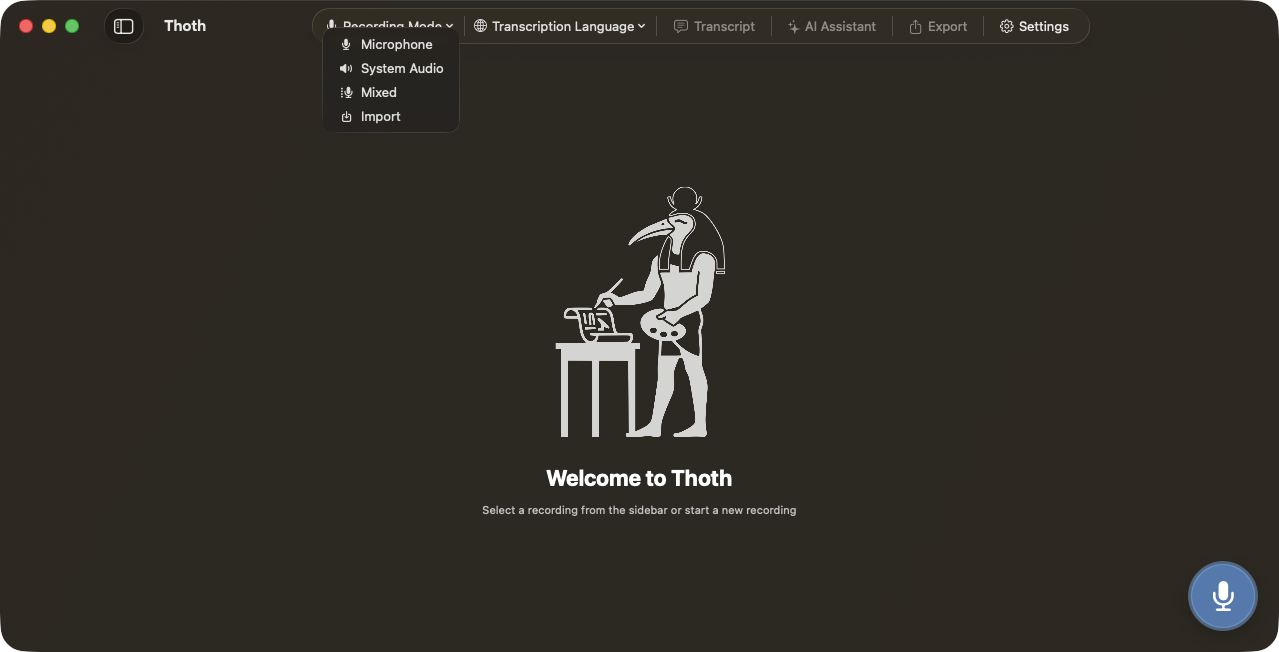
Recording
Capture the room, the call, or both at once.
- Microphone, system audio, or both on separate channels
- No virtual audio driver, no screen capture, no bot joining the call
- Your mic is always Speaker 1; system audio carries the remote participants
- Both channels recorded, transcribed and separated independently, so attribution is deterministic
- Menu bar mode: start and stop without switching windows
- A nudge when Zoom, Teams or Slack launches
- An offer to record when a meeting starts in your calendar
- Import audio files you already have
- Folders three levels deep and colour-coded tags
- Automatic AAC compression so the library stays small
Transcription
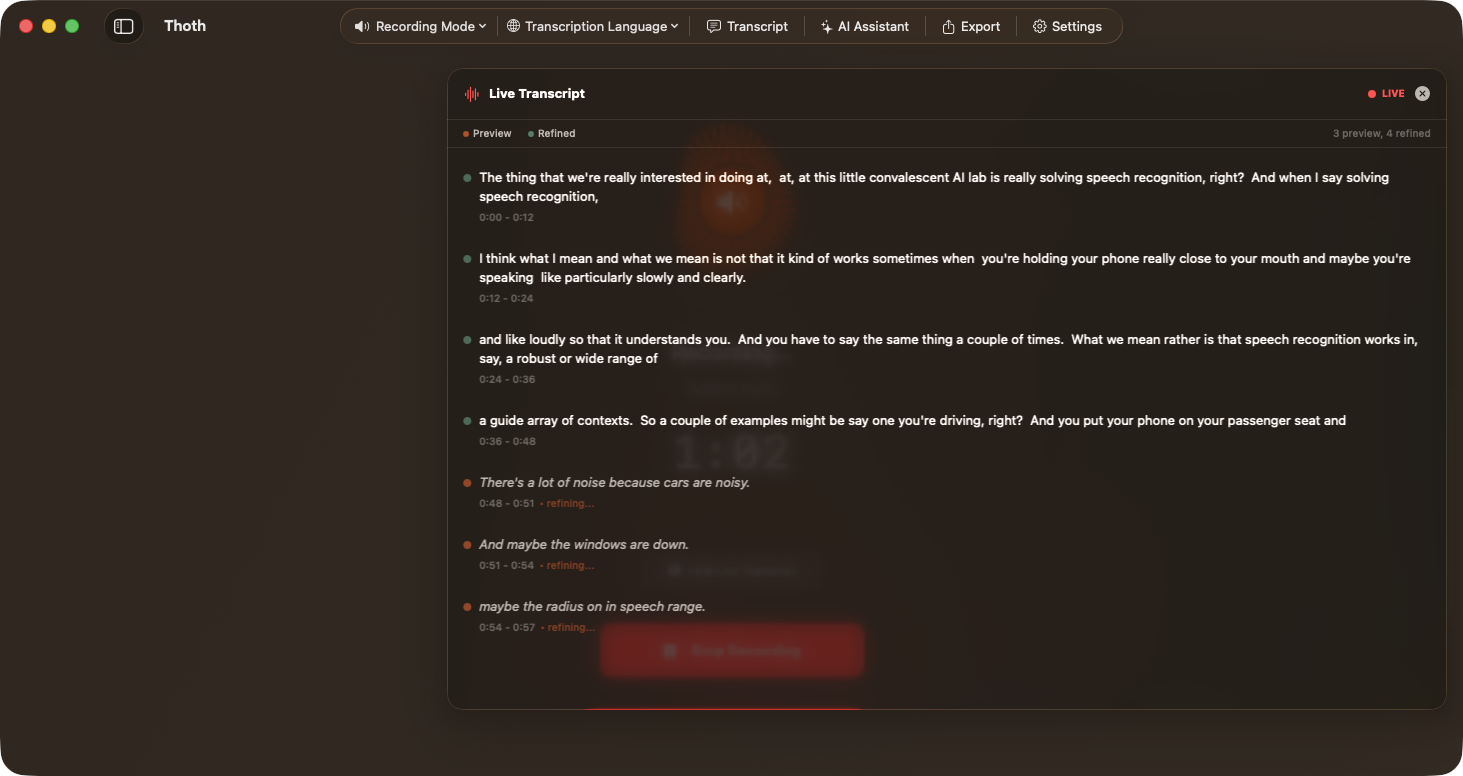
Four engines, ninety-nine languages, none of it in the cloud.
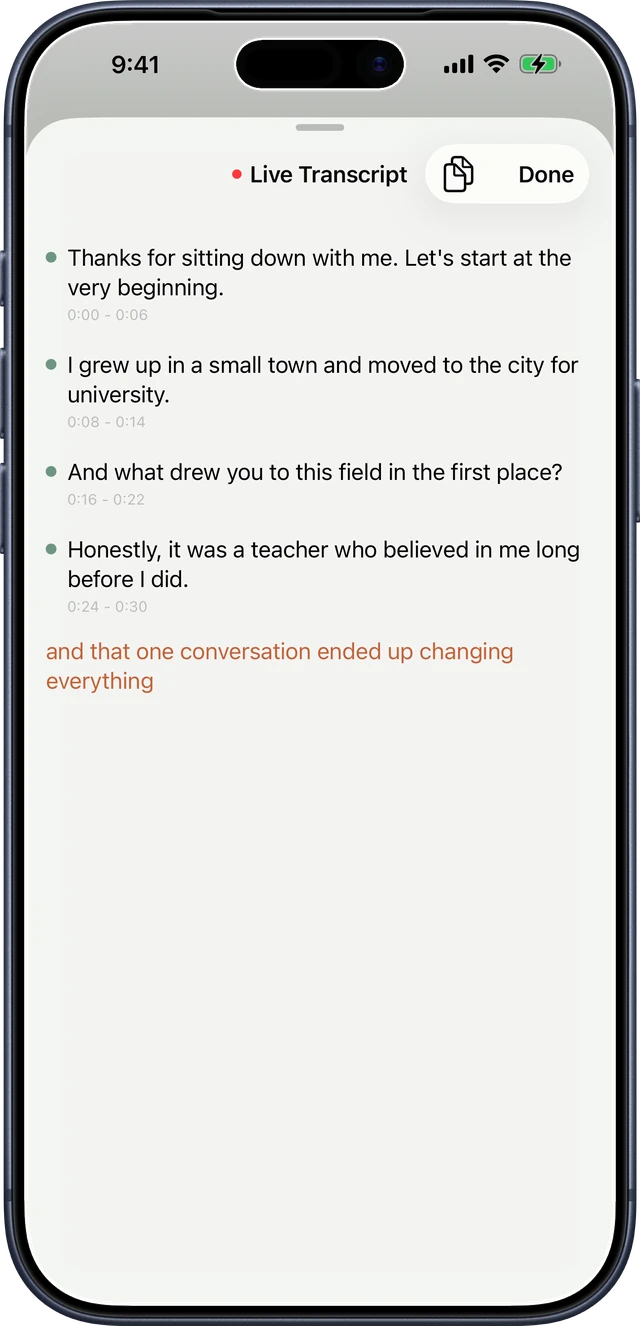
- A floating live panel shows the text word by word as you speak
- Two models run in parallel: a fast preview and a quality final pass
- WhisperKit across all 99 languages, with automatic detection
- Parakeet TDT v3 for batch speed, around 190x real time Pro
- Parakeet EOU streaming word by word, around 160 ms latency Pro
- Apple Speech, on device, live or batch
- Five Whisper sizes, from Base to Large V3 Turbo
- Feed it a custom vocabulary from a CSV
- Smart editing highlights the words the engine was unsure about
- Re-transcribe with a different model in one click
- Works entirely offline once the model is downloaded
Who said what
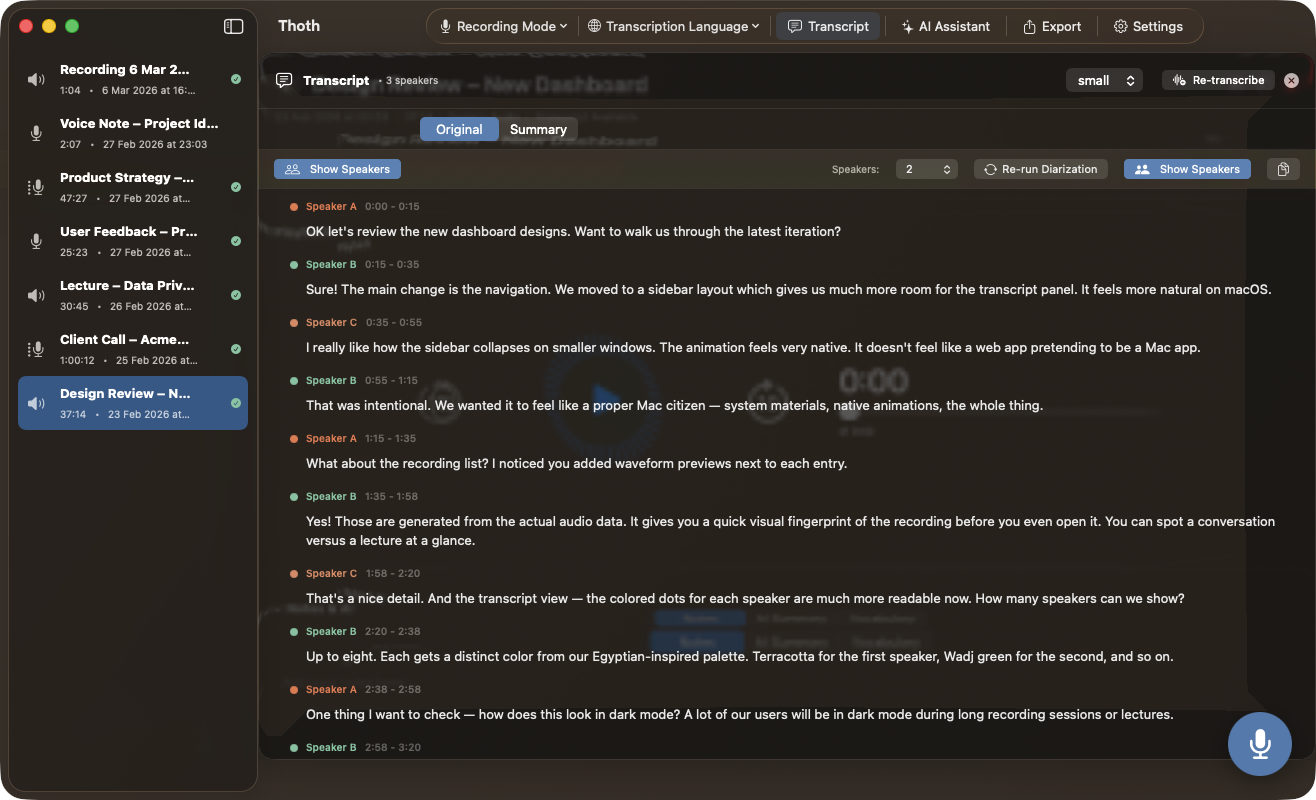
Speaker separation that is measured, not guessed.
- On-device speaker identification, Pyannote CoreML Pro
- The transcript is colour-coded automatically
- Up to 8 speakers in one recording
- 7.72 seconds to separate a 42-minute, two-speaker recording
- Aligned word by word rather than estimated
- Rename speakers and they update across the transcript
- An AI pass can correct attribution from conversational context Pro
- Runs offline, no cloud involved
AI that stays yours
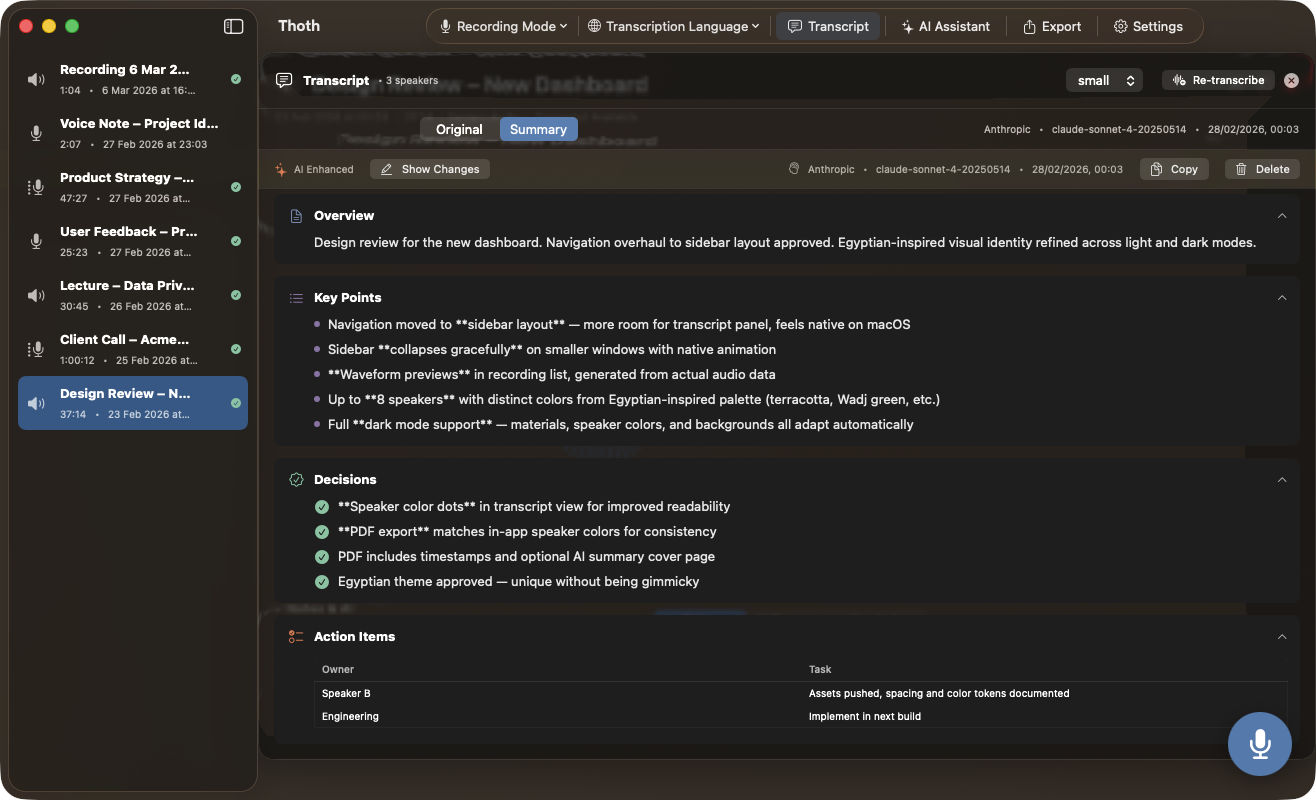
Summaries, chat and rewriting, on your hardware by default.
- One click turns a recording into notes, action items and key decisions
- Five bundled local models, from Ministral 3B to Gemma 3 12B
- Apple Intelligence on supported devices
- Bring your own API key if you want a larger cloud model
- Or point Thoth at your own compatible server
- Or use a verified hardware enclave, attestation checked before every session
- Save your own prompts and rerun them on any recording
- Ask questions about a recording in a chat panel
- Improve punctuation and readability, or translate the transcript
- Action items become real Reminders entries, only the ones you approve
Privacy
The audio has no path off your machine.
- Audio never leaves your device, on any tier
- If you use a cloud model, only transcript text is sent, with your own key
- Anonymization runs on device before anything is sent
- Detects people, places, organizations, emails and phone numbers
- Card numbers and IDs validated by checksum, plus patterns you define
- Every detected item is shown as a token, and you decide what leaves
- The mapping is reversed locally, so the answer reads naturally
- No account, no user database, no analytics, no crash reporters
- Everything works with the network switched off

Export and sharing
Get it out of Thoth and into whatever you actually work in.
- Plain text and WAV audio on the free tier
- Markdown, RTF, JSON and PDF Pro
- M4A and AAC audio Pro
- Speaker labels and timestamps, each switchable
- SRT and VTT subtitles, free on every tier
- A captioned audio video, free on every tier
- Export the whole library in one pass
- Share straight to Mail, Messages or AirDrop
- No branding on exports and shares Pro
Sync and transfer
Across your devices, through your account, not ours.
- iCloud sync carries recordings, transcripts, summaries and notes
- It runs through your own iCloud account, never a Thoth server
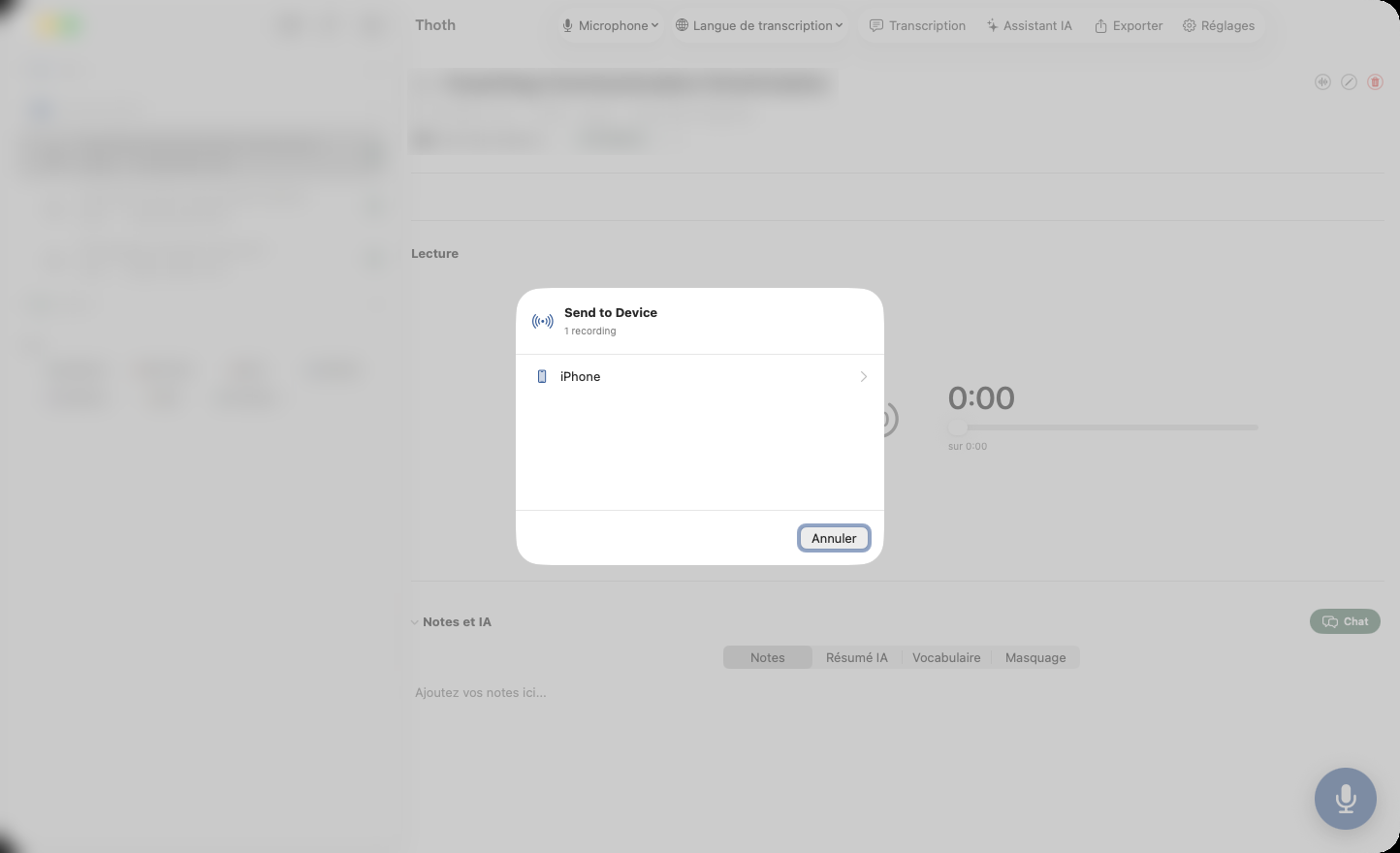
- Send to Device pushes a recording from Mac to iPhone directly
- Over AirDrop or your local Wi-Fi, with no cloud round trip
- One Universal purchase covers Mac, iPhone and iPad
iPhone and iPad
The same scribe, in your pocket.
- The same on-device engine as the Mac app
- Record, transcribe, identify speakers and run the same AI actions
- Import audio from any app
- A Live Activity and Dynamic Island keep the recording visible
- Stop or pause without opening the app
- On iPad the library and transcript sit side by side
- Microphone only: iOS gives no app access to another app's audio
- The interface is fully localised in English and French
See what Free and Pro include →
Try Thoth free.
No account required. Free to try. Paid plans have no recording limits.

