Transcribe · Summarize · Zero Upload
Your Private AI Scribe
Record both sides of any meeting on your Mac. Transcribe and summarize locally on Mac, iPhone and iPad. No cloud, no data ever leaving your device.


Free to try · No account required · Requires macOS Tahoe on Apple Silicon
Filmed with Wi-Fi off, on Mac and iPhone. Transcription and local AI summary run entirely on-device.
Voices from the Scribes
What users are saying.
★★★★★ 5.0 out of 5 · 2 ratings
Un scribe privé à sa main !
Déjà efficace en V1, maîtrise des données et des traitements, et excellent potentiel de développement : le développeur est réactif, précis et a de belles ambitions pour ce scribe privé et malin.
Love the simplicity & ease of use
Mostly that it stores it locally! I use this mostly for meetings on a heavy dense information project. Especially as a neurodivergent. Processing is different in my brain so this removes the need to ruminate and overthink OR remember. So it’s been great to record everything clearly. The only thing is now I want to upgrade but can’t find it ANYWHERE on the app. Take my money! :P
Leave your mark on the App Store 𓇼 Or on the Mac App Store 𓇼
Written in the record
What the press is saying.
Covered by MacGeneration and iGeneration, France's leading Apple publications.
iGeneration
“The port to iOS is beautifully done.”
« Le portage vers iOS est soigné. » Translated from French.
Thoth now brings its local transcription to iPhone and iPad →
MacGeneration
“A new transcription app focused on meetings and real time.”
« Une nouvelle app de transcription axée sur les réunions et le temps réel. » Translated from French.
The Scribe's Oath
Three reasons. One decision.
On-device means your data never leaves, your attention stays on the conversation, and what was said is always readable.
Your data stays yours
Unpublished research, trade secrets, NDA-protected discussions, privileged conversations. If it would matter in the wrong hands, it should never leave your machine. Thoth keeps everything on your hardware. Always. And because Thoth has no app server and no user database, there is nothing to breach, sell, or subpoena in the first place.
Be present, not busy
When you know every word is captured, you stop taking notes and start listening. Focus on the conversation. Thoth handles the record.
Read instead of re-listen
For ADHD, autism, hearing impairment, and auditory processing differences, a searchable transcript is not a convenience. It is access. Read, skim, and Cmd-F your way through any recording, at your own pace, on your own terms. Who uses Thoth for accessibility →
The Scribe's Craft
Every tool a scribe needs.
Recording, transcription, speaker detection, and AI summaries. All running on your Mac.
See every featureCapture Every Meeting
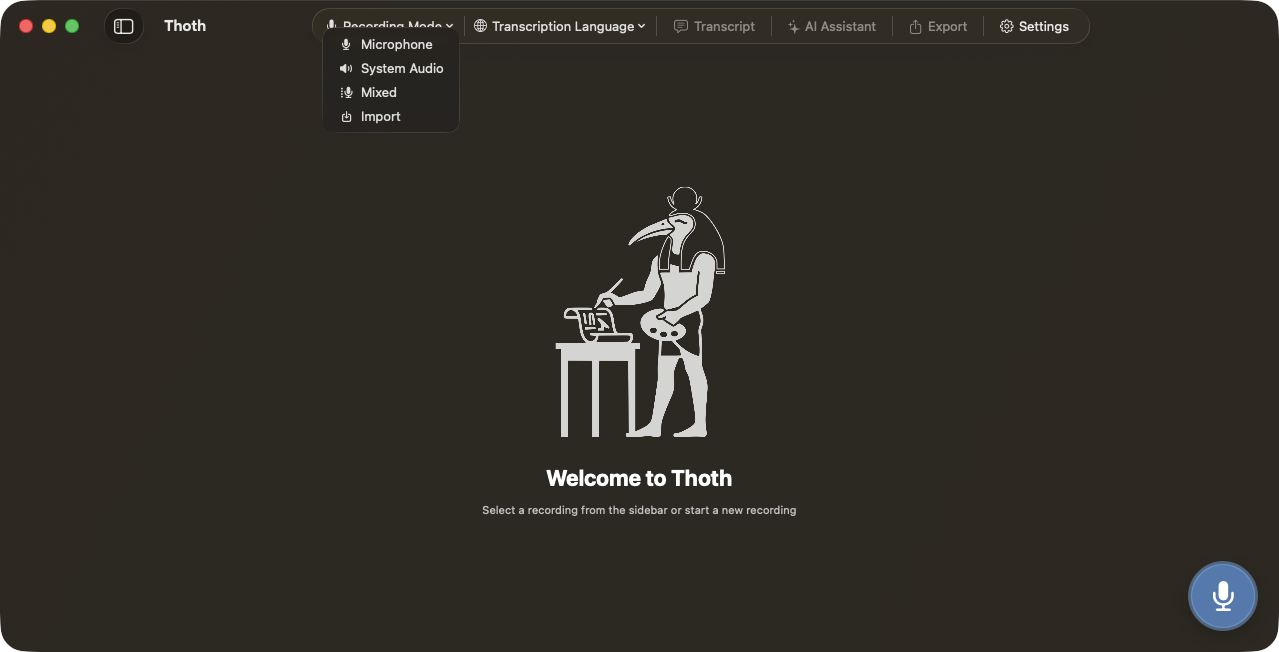
Mic, system audio, or both. No virtual drivers, no bots. Just hit record.
Words in Real Time
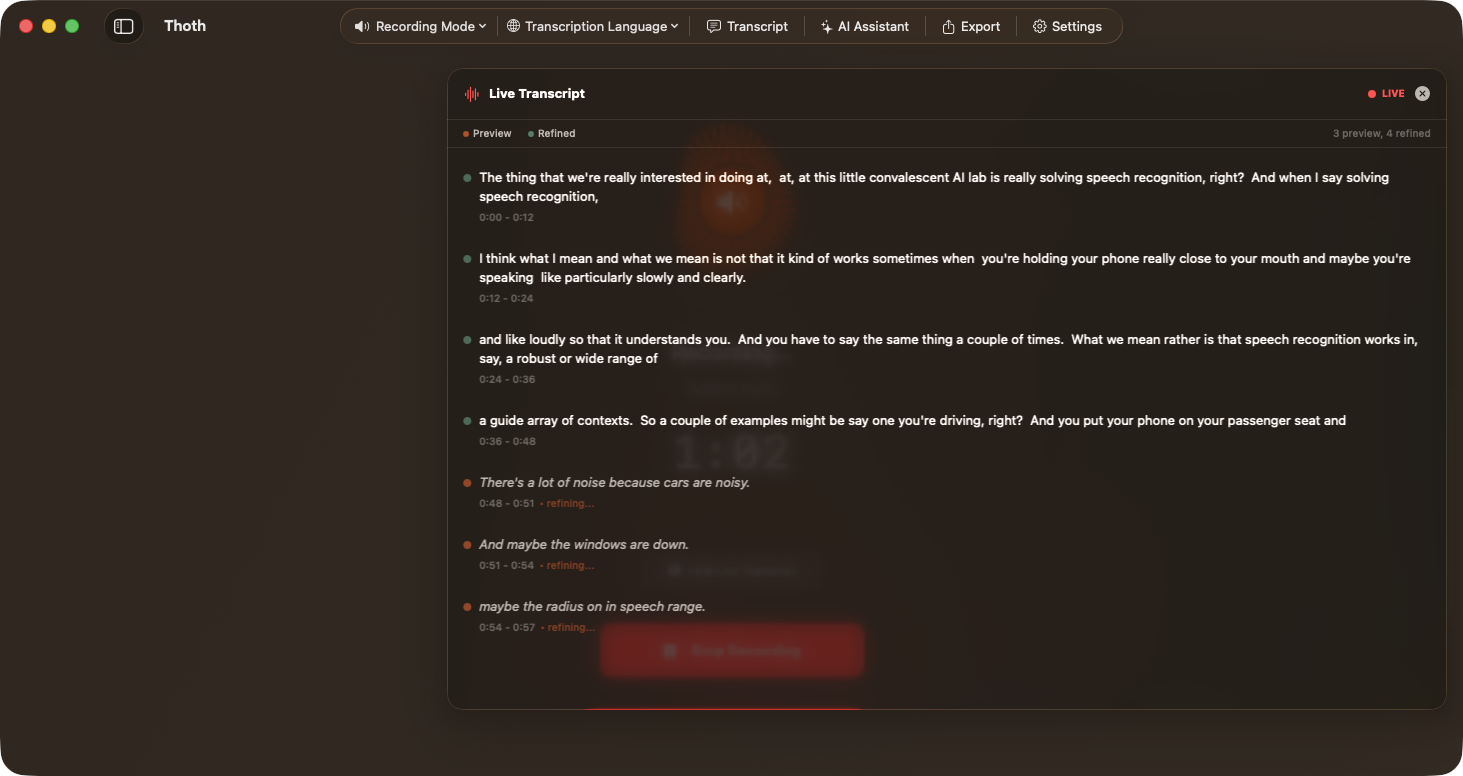
A floating panel shows your transcript as you speak. Two models run in parallel: a fast one for instant preview, a quality one for the final text. All on-device, zero latency to the cloud.
Redacted Before It Leaves
Names, places, emails, and phone numbers are detected on your Mac and swapped for tokens before any transcript reaches a cloud AI provider, then restored locally when the answer returns. Prefer to keep nothing back? It all stays on-device.

Who Said What
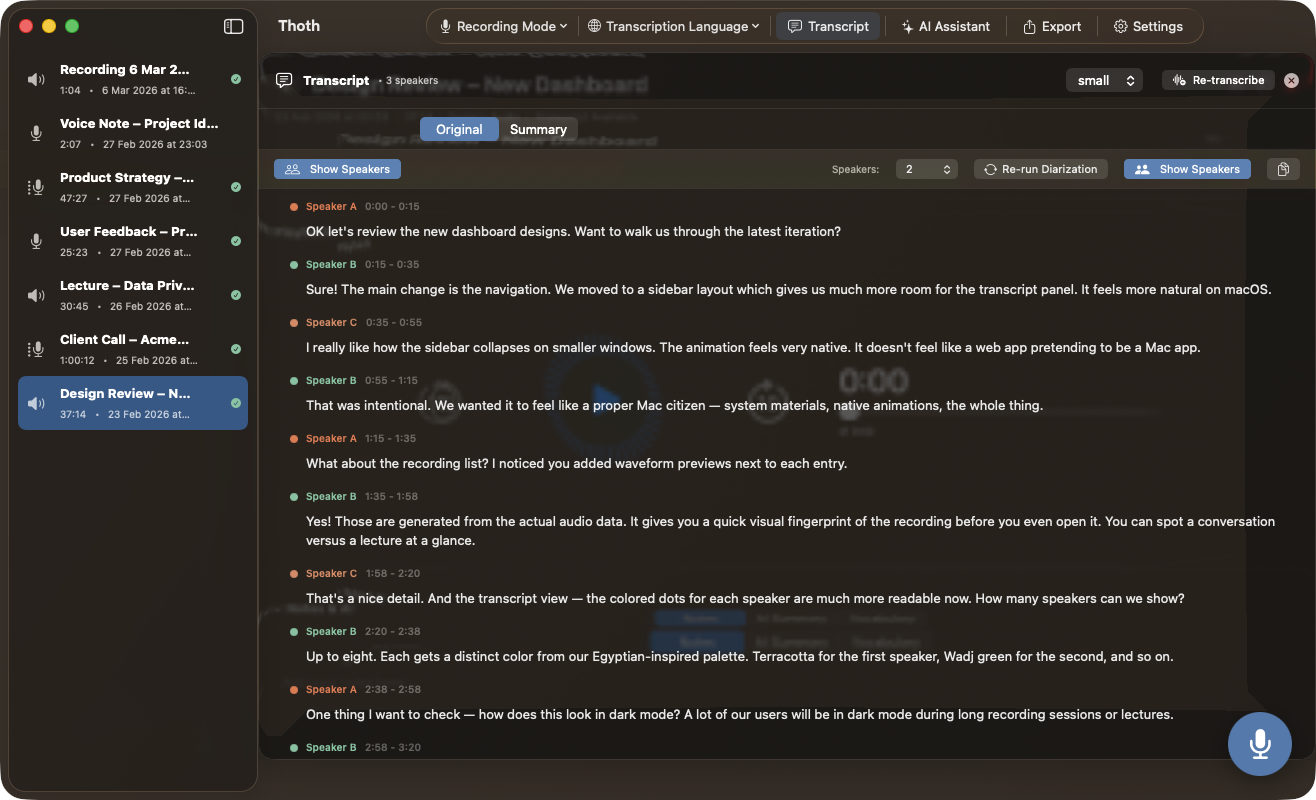
An on-device engine detects individual speakers and color-codes your transcript automatically. Works offline, no cloud involved.
From Meeting to Insight
Notes, action items, key decisions: extracted and formatted in one click. Choose between five on-device models or your own cloud API key.
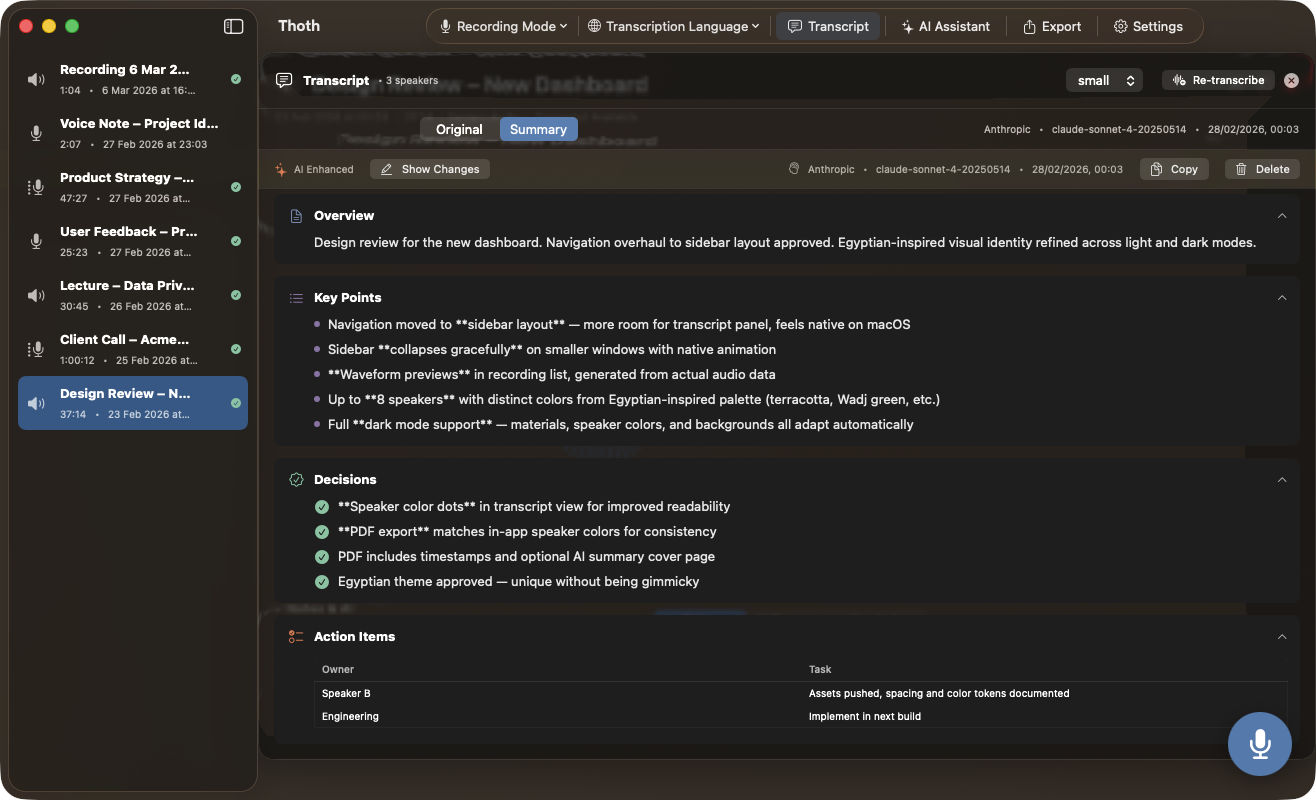
No Cloud Needed
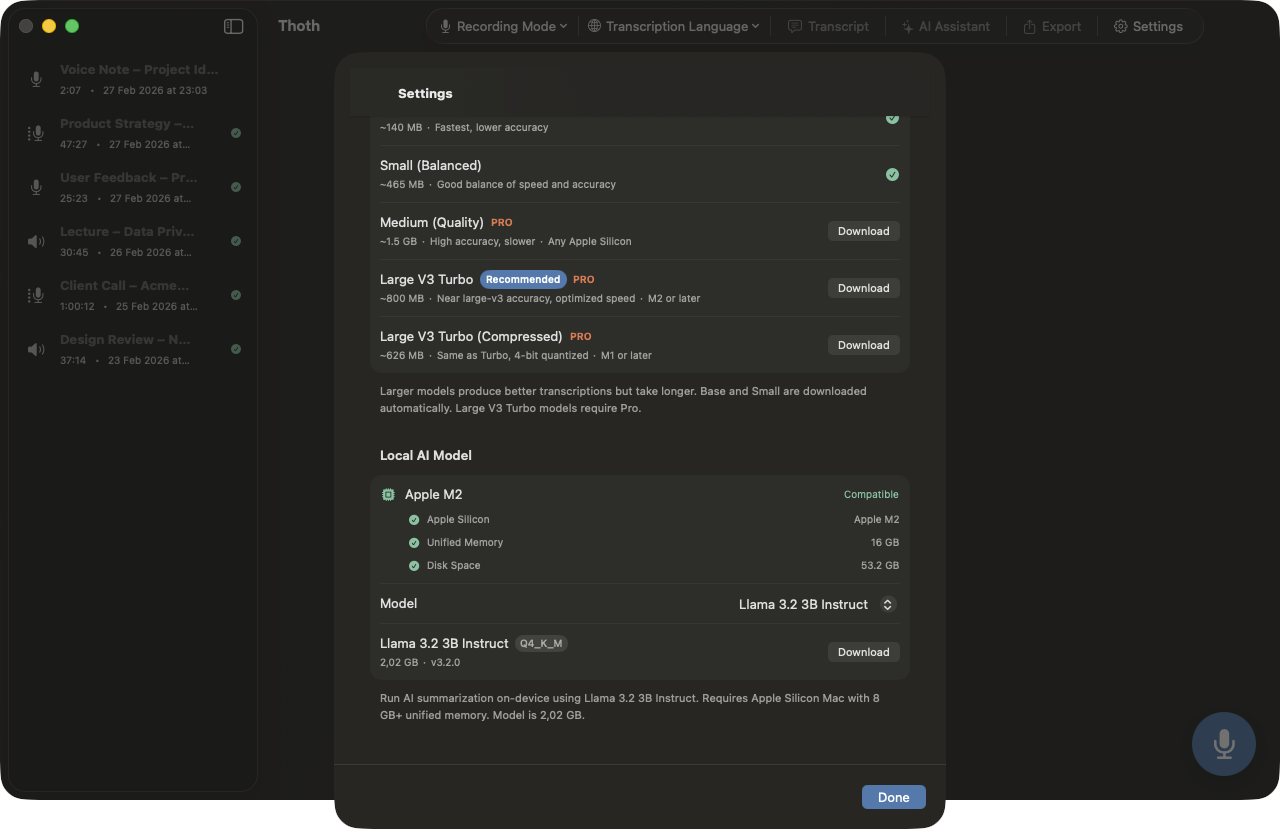
Choose from five local models, from the nimble Ministral 3B to the powerful Gemma 3 12B. No API key, no cloud. Your transcript never leaves your Mac.
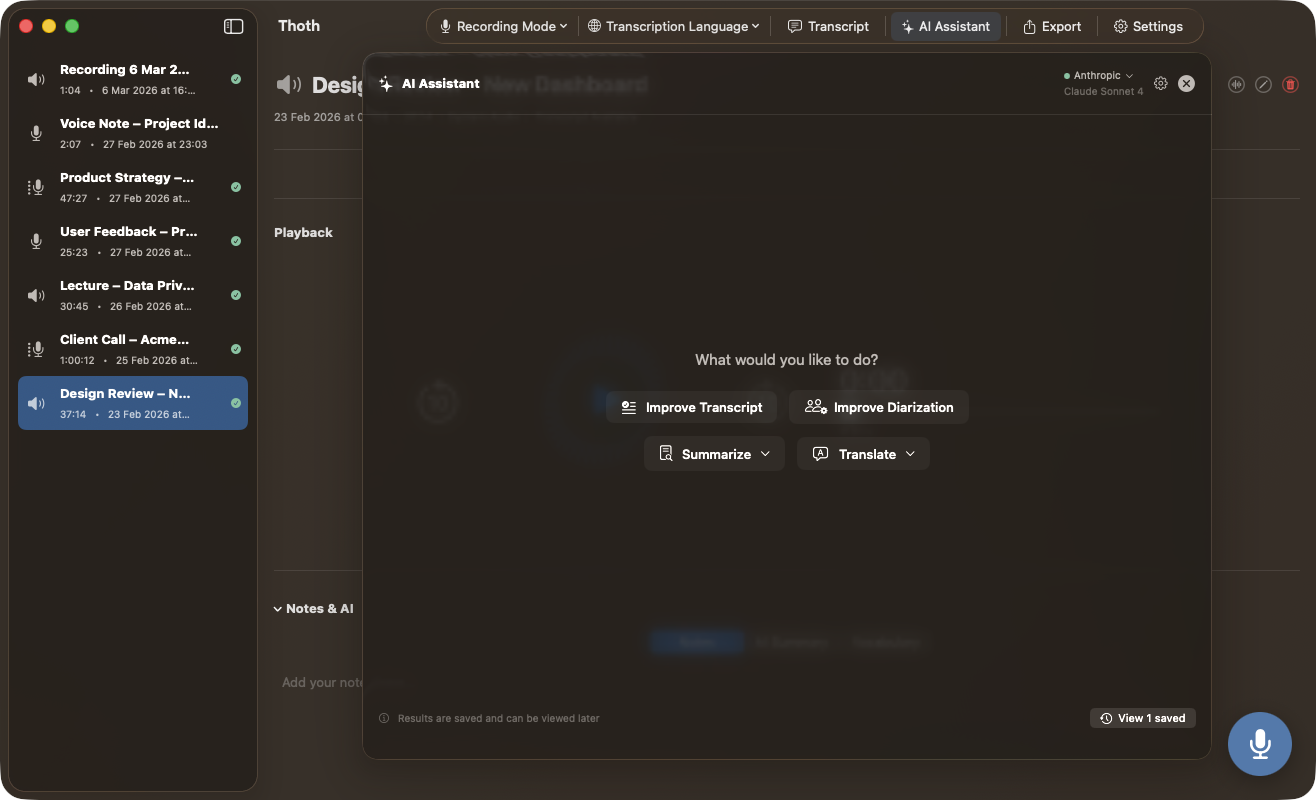
Ask Your Recording
Chat with any recording. Ask questions, get answers grounded in the transcript. Bring your own API key: requests go straight from your Mac to your provider, with on-device anonymization first.
Built for Mac
A real Mac app.
Native SwiftUI, proper Dark Mode, and a menu bar mode. No Electron, no web wrapper.
Native SwiftUI
Real macOS app. Collapsible sidebars, smooth animations, proper Dark Mode. Runs on AppKit, not Electron.
Export & Share
PDF, Word, Markdown, RTF, or JSON with timestamps and color-coded speakers. Or share any transcript or summary directly to Mail, Messages, and AirDrop in one tap.
99 Languages
Auto-detects the language and transcribes it. English, French, Japanese, Arabic: Whisper handles them all, entirely on your Mac.
Audio Architecture
Two channels.
Zero ambiguity.
Most tools blend your mic and remote audio into a single stream, then guess who spoke when. Thoth keeps them separate from the very first sample. No guesswork needed.
Channel 1 · Mic
Your Voice
Dedicated stream from your microphone. Captured independently and identified as you before transcription starts. Never mixed with remote audio.
Always Speaker 1Channel 2 · System
Remote Voices
Captured from Zoom, Teams, Meet or any app via the macOS audio engine. A completely independent stream. No screen capture, no bot joining the call.
Speaker 2 and beyondNo guesswork. Every word attributed correctly.
When channels are separate, speaker attribution for remote participants is deterministic, not estimated. Mic is always you. System audio is always them. Even when everyone talks at once.
Absolute Privacy
Under the Scribe's Seal.
Your data stays yours. Built from day one for people who handle confidential information.
100% Offline Engine
Transcription runs on your Mac through WhisperKit and CoreML. No audio ever leaves your machine.
Local Speaker Detection
An on-device engine detects who is speaking and color-codes your transcript. No cloud processing involved.
On-Device AI Summaries
Choose from five local models (1.9 GB to 6.8 GB) and run AI summaries entirely on your Mac. No API key, no cloud.
Bring Your Own Key
Prefer OpenAI, Anthropic, or Google? Use your own API keys. Requests go direct from your Mac to the provider.*
On-Device Redaction
When you do use cloud AI, Thoth strips names, places, organizations, phone numbers, and emails on your Mac before the request goes out, then restores them locally when the answer returns. The cloud sees tokens, not people.
Keychain Secured
API credentials stay locked in your Apple Keychain. Thoth never stores keys in plaintext or sends them anywhere.
No App Server
Our server hosts this website. That is all it does. No user database, no license server, no record of who you are. Purchases go through Apple directly.
Now on iPhone & iPad
The whole scribe, in your pocket.
The same on-device engine as the Mac app. Record, transcribe, identify speakers, and summarize entirely on your phone, with nothing uploaded. On iPad, the library and the transcript sit side by side. Available on the App Store now.
-
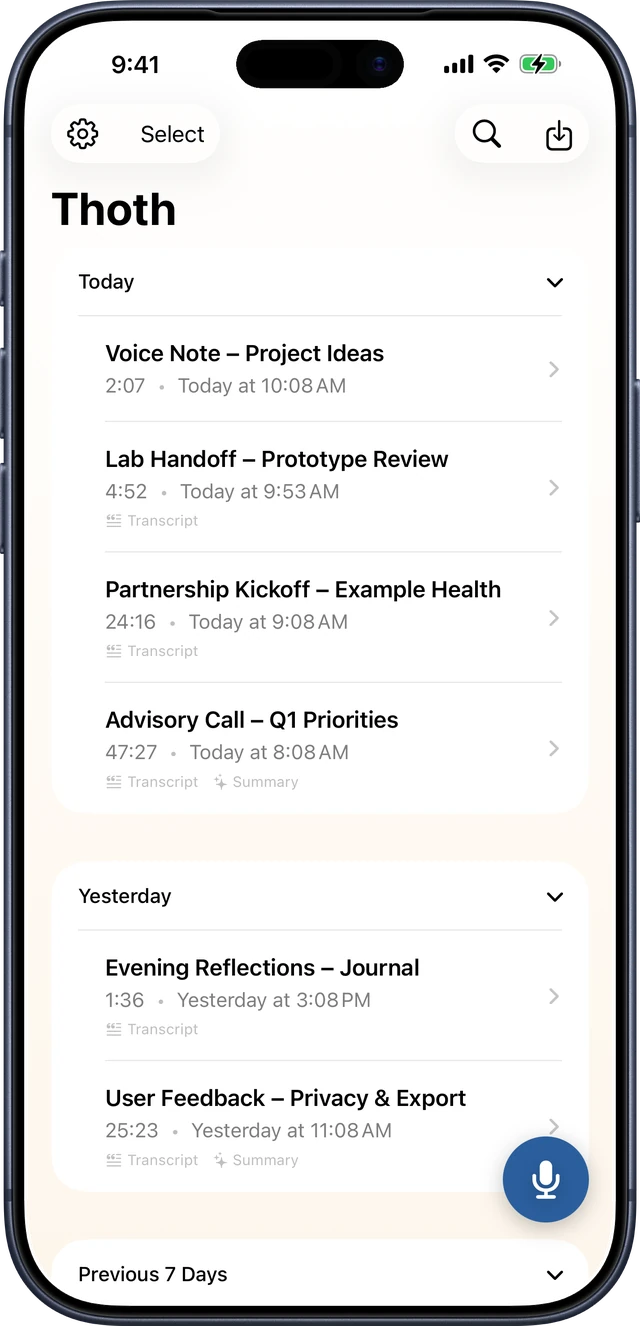 Recordings
-
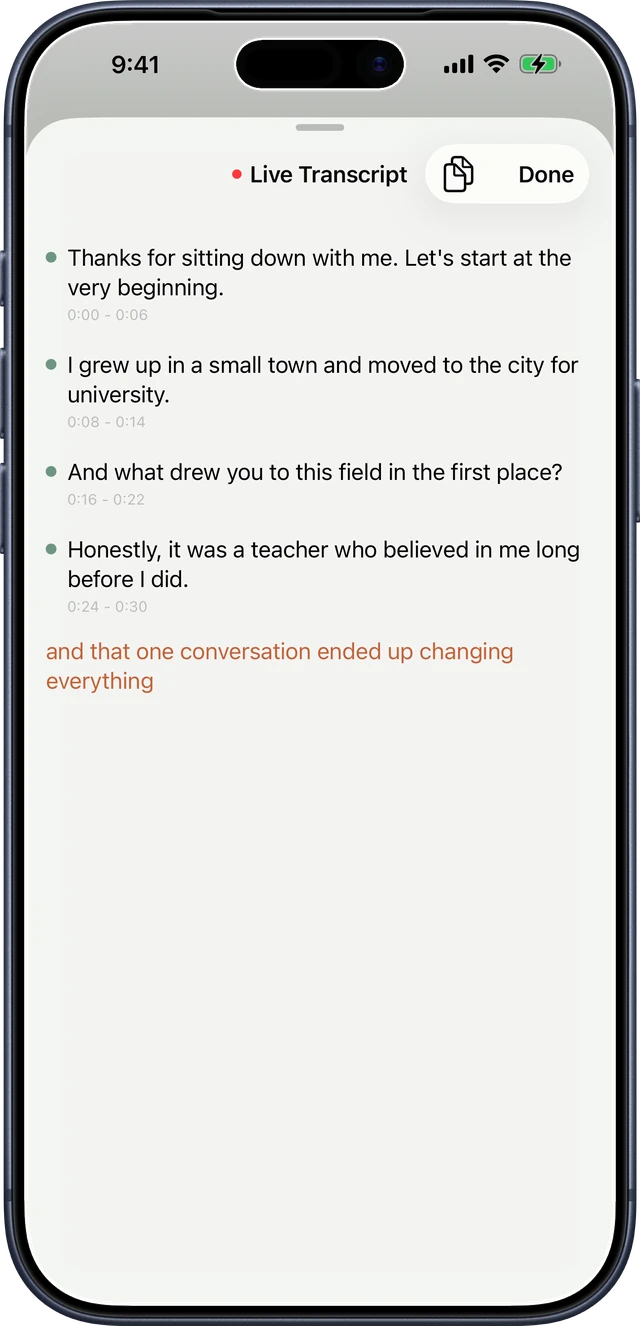 Live transcript
-
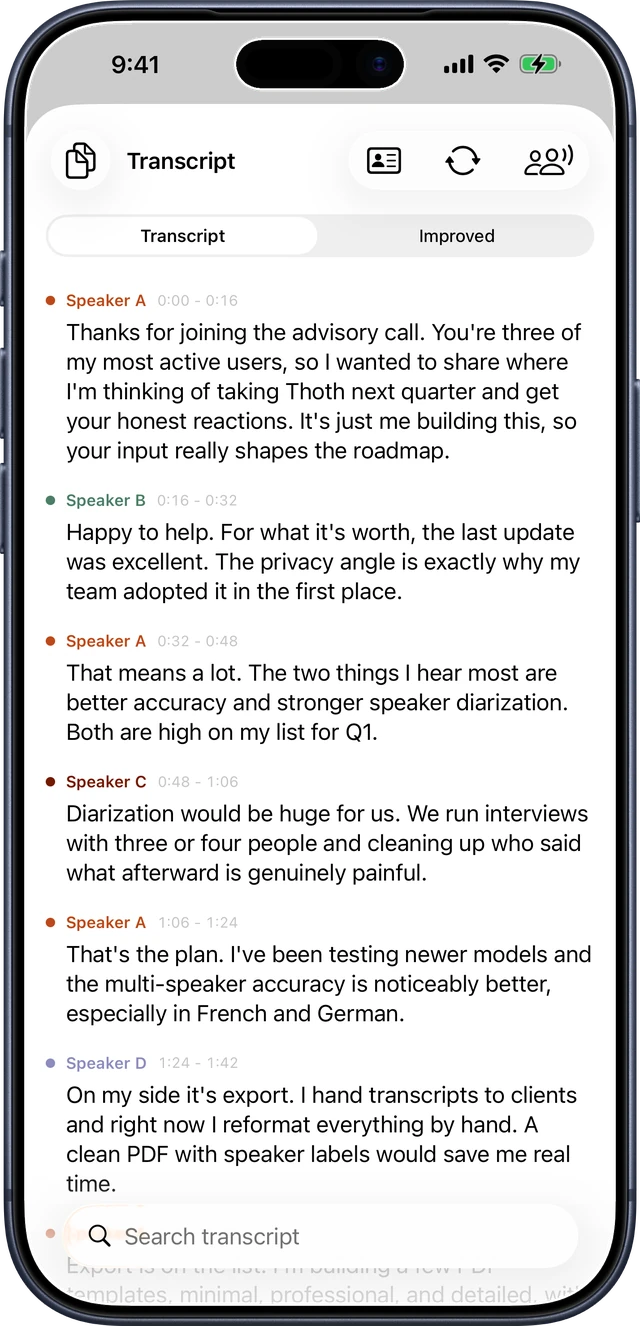 Speaker ID
-
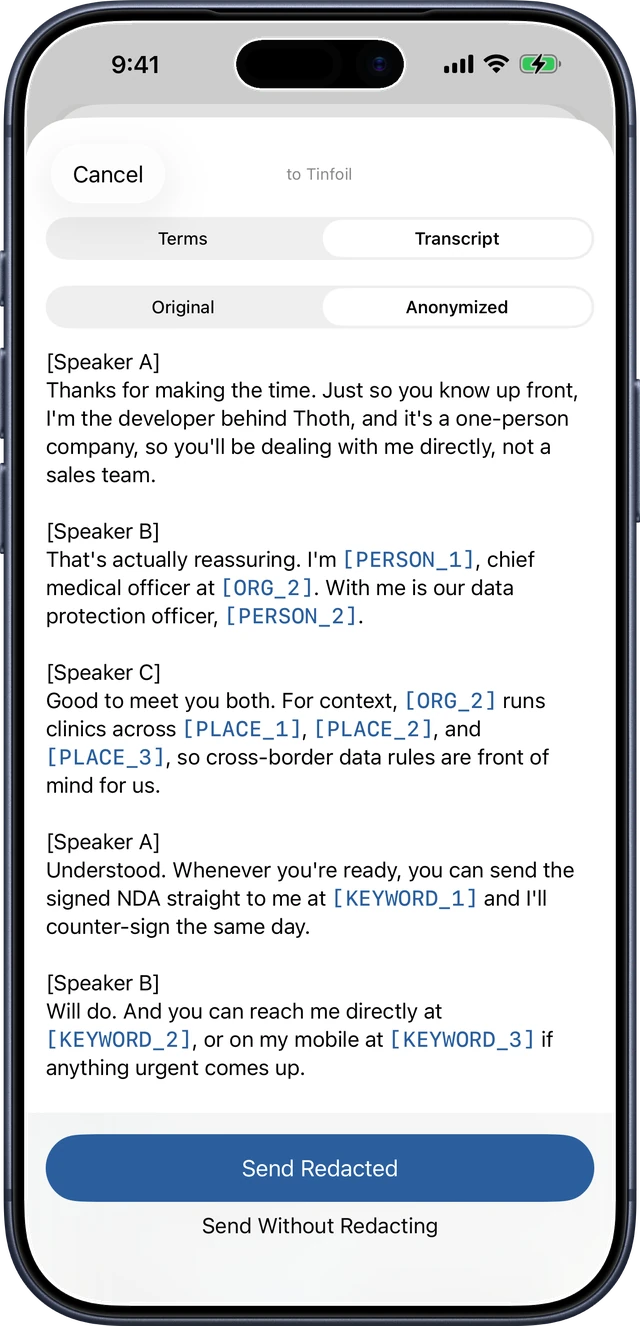 Anonymization
-
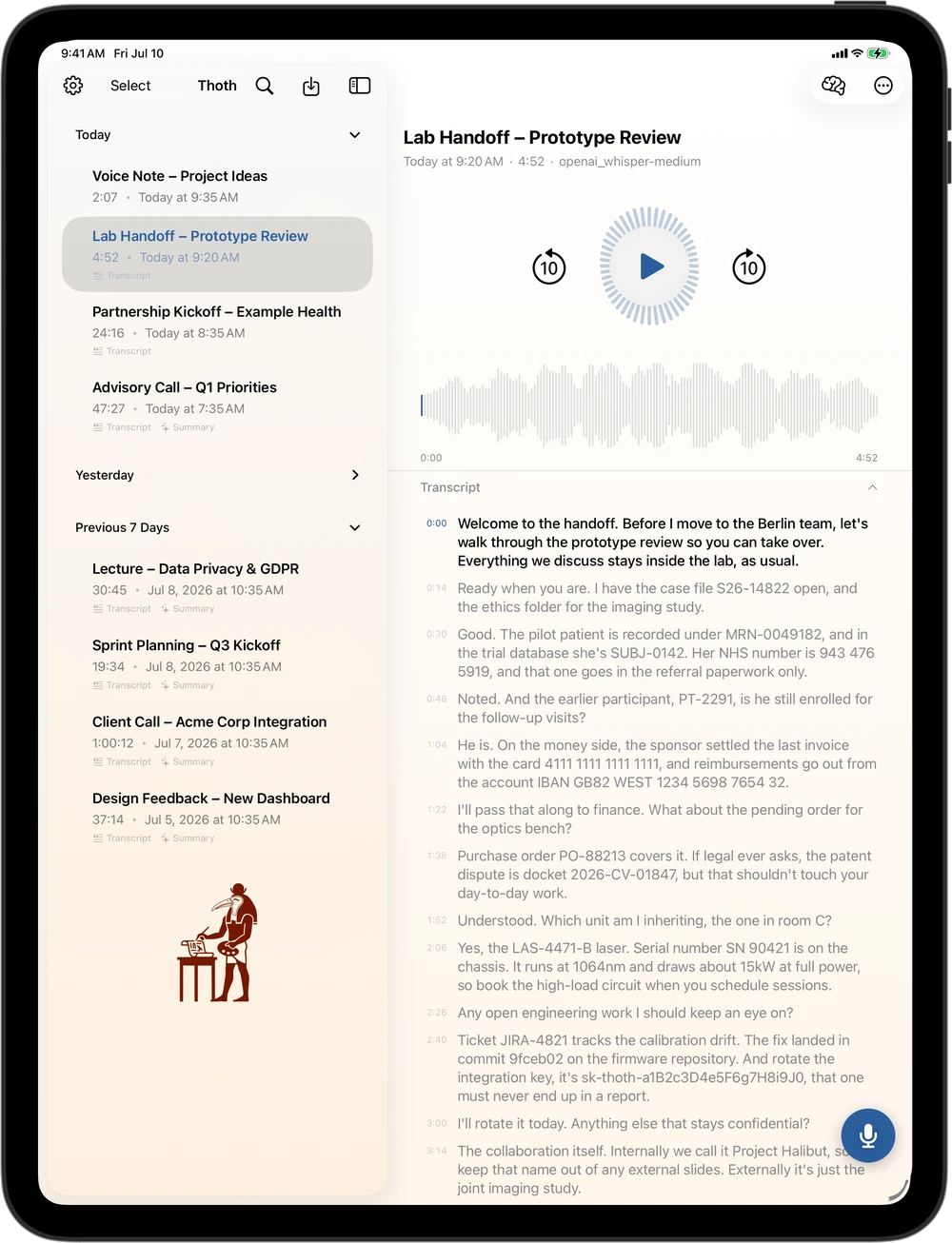 iPad, two panes
-
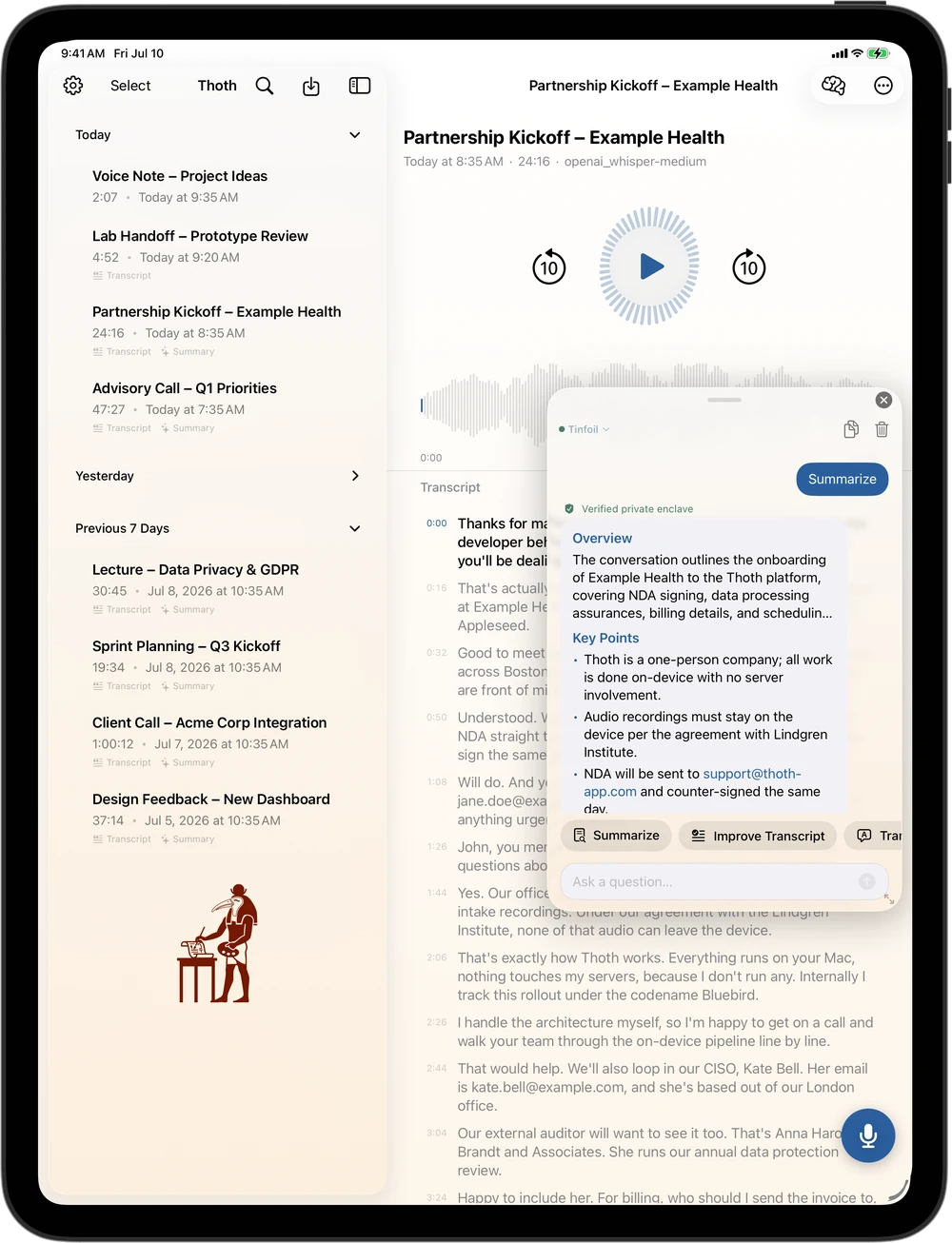 iPad, AI panel
Universal Purchase: Thoth Pro on the Mac unlocks iPhone and iPad automatically.
How We Compare
Local-first. Always.
Cloud recorders are convenient. They're also always listening.
| Thoth | Otter | Fireflies | Granola | |
|---|---|---|---|---|
| Audio stays on your Mac | ✓ | ✗ | ✗ | ✗ |
| No bot joins your call | ✓ | ✗ | ✗ | ✓ |
| Works fully offline | ✓ | ✗ | ✗ | ✗ |
| Dual-channel recording | ✓ | ✗ | ✗ | ✗ |
| On-device AI summaries | ✓ | ✗ | ✗ | ✗ |
| Native Mac app | ✓ | ✗ | ✗ | ✓ |
| No vendor account or database | ✓ | ✗ | ✗ | ✗ |
| Redacts names before cloud AI | ✓ | ✗ | ✗ | ✗ |
Competitor features are approximate and subject to change. Otter, Fireflies, and Granola are trademarks of their respective owners.
Why cloud recorders create legal exposure for everyone on your calls →
Under the Cartouche
Real numbers, real hardware.
Local vs cloud AI, transcription speed, and accuracy, measured on real recordings and real Apple Silicon. How we measure this.
Local vs Cloud AI Summaries
Tested on a real French-language interview transcript. Scored by Claude Opus across 6 criteria.
Local · Qwen 7B
~5/10
Fast and private. Good for quick overviews. Struggles with nuanced decision capture and quote selection.
Cloud · Claude Sonnet (BYOK)
~8.7/10
Captures operational detail, adapts to content type, better quote selection.
Honest takeaway: local models are best when privacy is non-negotiable or internet is unavailable. Cloud AI is better when depth matters.
The privacy guarantee stays constant regardless of which you choose. Audio never leaves your machine. If you use BYOK cloud AI, only the transcript text goes to your chosen provider, directly with your key. Thoth never sees it. And before that text is sent, Thoth can redact names, places, emails, and phone numbers on your Mac, then restore them locally when the answer returns. How on-device anonymization works →
Pricing
Try free, then go Pro.
Start free with full transcription features. Upgrade for unlimited duration and AI.
Free
$0
- Unlimited recordings
- 30 min (mic) / 15 min (system audio)
- 10 AI enhancements/month (local or cloud)
- WAV audio export
- TXT transcript export
Pro
- Unlimited recording duration
- System Audio & Mixed recording
- M4A, AAC, Markdown, RTF, JSON, PDF export
- Unlimited AI enhancements (local or cloud with your key)*
- Large transcription model
- Remove branding from exports and shares
Free trial included with subscription
*Cloud AI features (OpenAI, Anthropic, Google) may not be available in all countries due to local regulations. On-device AI is available everywhere.
From the Blog
I show my work.
Real benchmarks, honest findings, and the things that surprised me along the way.
June 5, 2026
Thoth is coming to iPhone
The private AI scribe for Mac comes to iPhone and iPad. Record, transcribe, diarize, and summarize on device, with nothing uploaded.
May 22, 2026
Thoth for ADHD and autism: what I learned
A user told me she is autistic and has ADHD, and that Thoth helps her process information. I had not thought of Thoth as an accessibility tool. I should have.
May 19, 2026
Parakeet translates French audio
I added Parakeet expecting fast transcription. On non-English audio, it was doing something stranger: involuntary simultaneous translation.
May 13, 2026
Your meeting audio belongs on your Mac
Cloud meeting recorders upload your audio to US servers, creating legal exposure for everyone on your calls. Here is what that means in practice.
FAQ
Common questions.
- Does Thoth record both sides of a Zoom or Teams meeting?
- Yes. Thoth captures your microphone on one channel and the meeting app's system audio on a separate channel, so every participant is recorded without joining a bot to your call.
- Is Thoth free to use?
- Thoth is free to try with full transcription, up to 30 minutes per mic recording and 15 minutes for mixed or system audio. Pro unlocks unlimited duration, system audio recording, and unlimited AI enhancements.
- Does my audio get sent to the cloud?
- No. Transcription runs entirely on your Mac using WhisperKit and CoreML. Your audio never leaves your device. If you use a cloud AI key for summaries, only the text transcript is sent directly from your Mac to your chosen provider. Thoth can also strip names, places, and contacts on your Mac before the request goes out, then restore them locally when the answer returns.
- Does Thoth work offline?
- Yes. Recording and transcription work with no internet connection. On-device AI summaries also work offline. An internet connection is only needed if you choose to use a cloud AI key.
- What Mac models does Thoth support?
- Thoth requires macOS Tahoe (macOS 26) on Apple Silicon. macOS Tahoe does not run on Intel Macs.
- What does Thoth know about me?
- Nothing. Thoth has no app server and no user database. There is no Thoth account. Purchases and activations go through Apple directly, so we never see your name, email address, device, or payment details. Our server hosts this website. That is all it does.
The Wider Archive
Everything else worth reading.
The rest of the site, in one place.
Every feature
All 70, grouped by what each one is for, with screenshots.
Use cases
Lawyers, journalists, doctors, researchers, and accessibility.
Alternatives
How Thoth compares to Granola, Otter, Fireflies and MacWhisper.
Benchmarks
Word error rate and speed for every model, on real recordings.
Roadmap
What shipped, what I am building, and what you can vote on.
Support
Answers to the common questions, and a direct line to me.
The Scribe Awaits
Private by default.
No cloud required.
Accurate transcripts and AI insights, running entirely on your hardware. No accounts, no uploads, no data leaving your device.